
View Statements
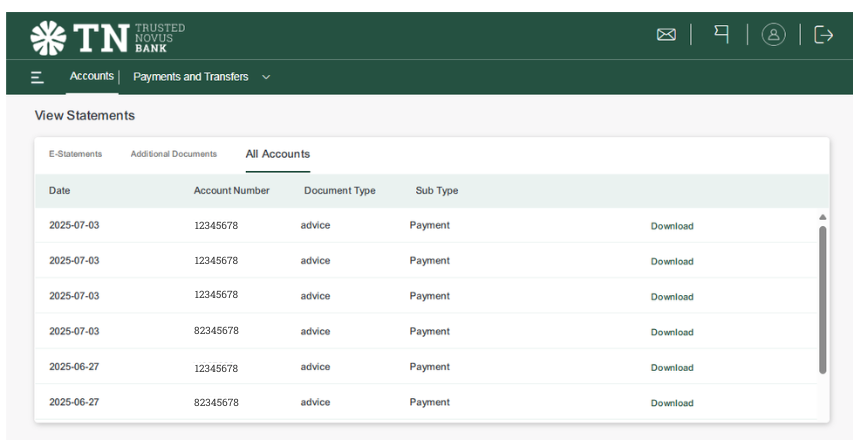
1. Go to the ‘Menu’ in the top left corner and click ‘Account Statements’.
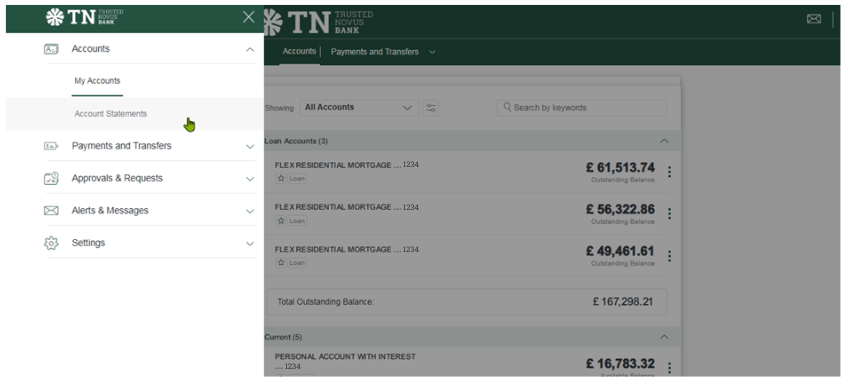
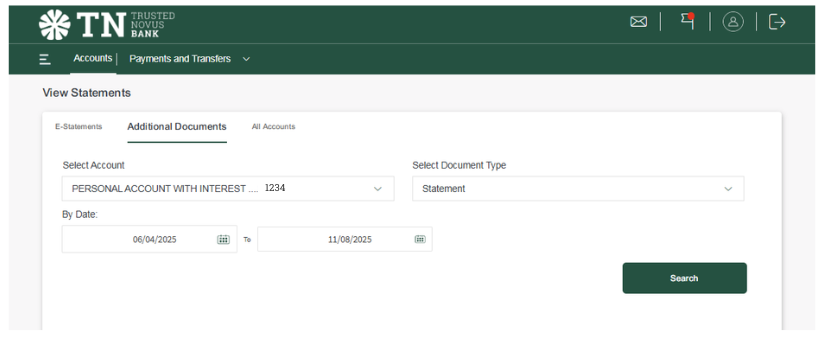
2. This will take you to ‘View Statements’.
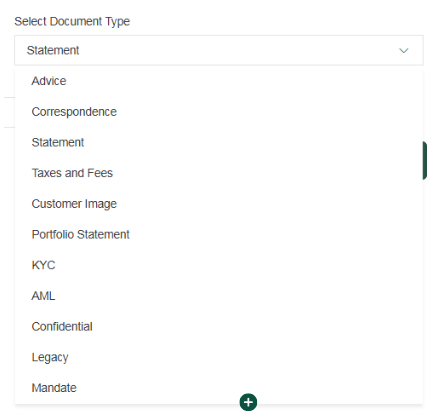
3. Here you have the options to view:
1. Go to the ‘Menu’ in the top left corner and click ‘Account Statements’.
2. This will take you to ‘View Statements’.
3. Here you have the options to view:
Our online password reset service is temporarily unavailable. If you need to reset your password, please contact us for assistance.
We’re working to restore the service as soon as possible.